
Ship orders with EasyParcel
Connect EasyParcel to create shipments straight from your BCL orders. BCL fetches courier rates for each order, you pick one, and the tracking number is saved on the order.
Before you start
Section titled “Before you start”You need three things:
- The Courier Integration add-on (or a Package Niaga bundle) in Add-ons > Available Add-ons.
- An EasyParcel account with enough credit to pay for shipments.
- Your EasyParcel Individual API key. In EasyParcel, open the Integration section, add or open the Individual API app, and copy its API key.
Connect EasyParcel
Section titled “Connect EasyParcel”With your API key copied, connect it in BCL:
- Go to Platform Setup > Courier Integration and open the EasyParcel tab.
- Turn on Enable EasyParcel Integration.
- Paste your key into API Key, then click Verify Connection.
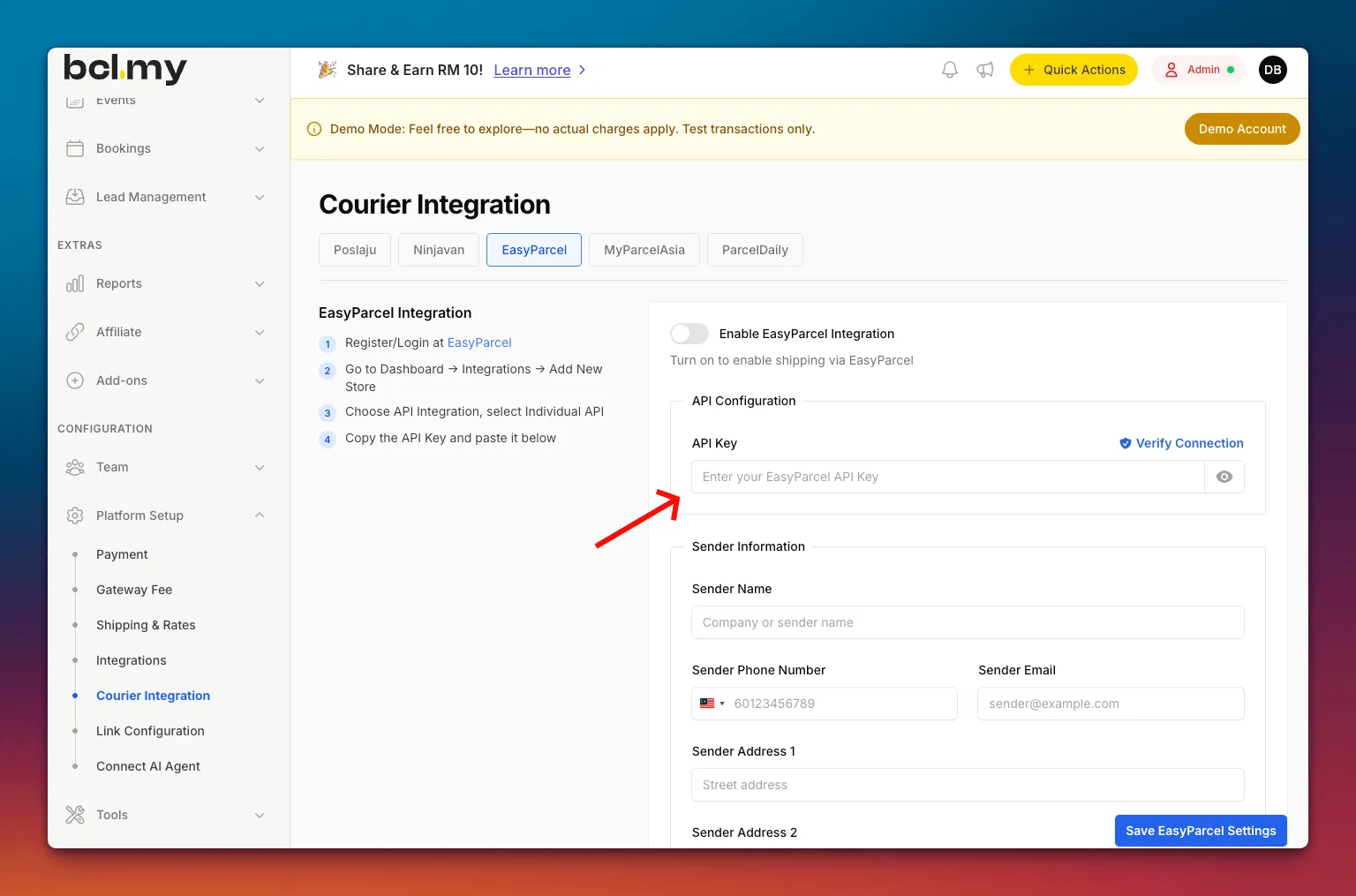
- Under Sender Information, fill in your sender name, phone, email and pickup address.
- Optionally, turn on SMS EasyParcel Tracking or WhatsApp EasyParcel Tracking. EasyParcel charges extra for these.
- Click Save EasyParcel Settings.
Create a shipment
Section titled “Create a shipment”For each order you want to send:
- Go to Transactions and find the order.
- Click the truck icon (Courier) on the row, then EasyParcel.
- Check the shipping details and the courier rates. Rates shown exclude add-on services and may change when the order is created.
- Click Create Shipment on the service you want, then click Yes to confirm.
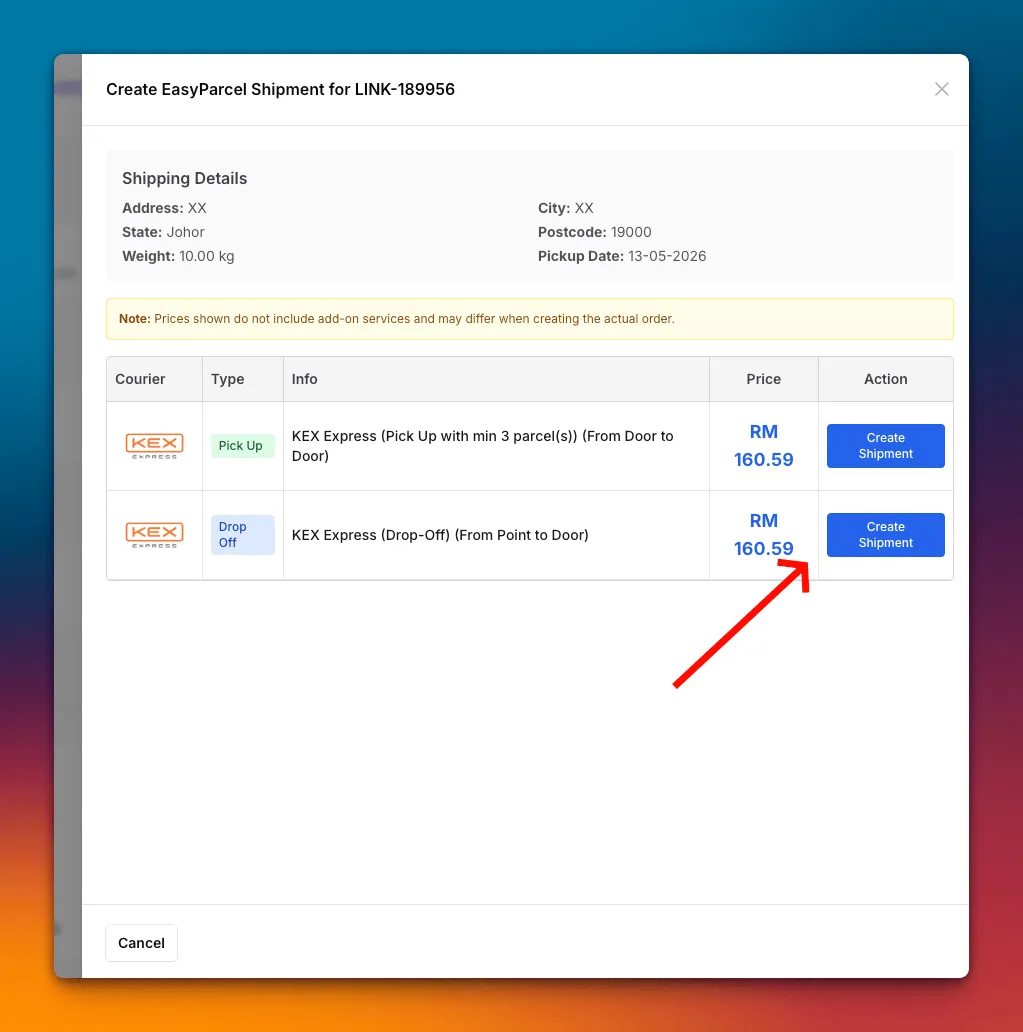
BCL shows the tracking number once the shipment is created. The shipment cost comes out of your EasyParcel credit.
Common issues
Why don't I see the EasyParcel option on an order?
It only shows when EasyParcel is enabled in Courier Integration and the order has items and a full delivery address (address, city, state and postcode). The Courier Integration add-on must also be active.
Shipment creation failed with Insufficient Credit. What now?
EasyParcel charges shipments to your EasyParcel credit. Top up your credit in EasyParcel, then create the shipment again.
Can EasyParcel collect cash for my COD orders?
Yes, when the courier offers COD. For a COD order, services that cannot collect cash show COD Not Available instead of Create Shipment.
Was this article helpful?
Thanks for your feedback.
Sorry this didn't help. WhatsApp us and we'll sort it out with you.