
Pay affiliate commission
BCL tracks each affiliate’s commission, but it does not send money for you. You create payout requests, pay the affiliate by bank transfer or DuitNow, and then mark the payout as paid so both of you have a record.
How commission builds up
Section titled “How commission builds up”Each sale through an affiliate link creates a referral under Affiliate > Referrals. A referral starts as Pending, becomes Approved when the payment succeeds, and Rejected if it fails. Only approved, unpaid referrals go into a payout.
Create payout requests
Section titled “Create payout requests”You can group approved referrals into payouts at the end of each period, following the Payout Schedule you set.
- Go to Affiliate > Referrals.
- Click Generate Payouts.
- Choose the Date Range of referrals to include.
- Optional: under Select Affiliates, pick specific affiliates. Leave it empty to include everyone.
- Check the Payout Preview, then click Submit.
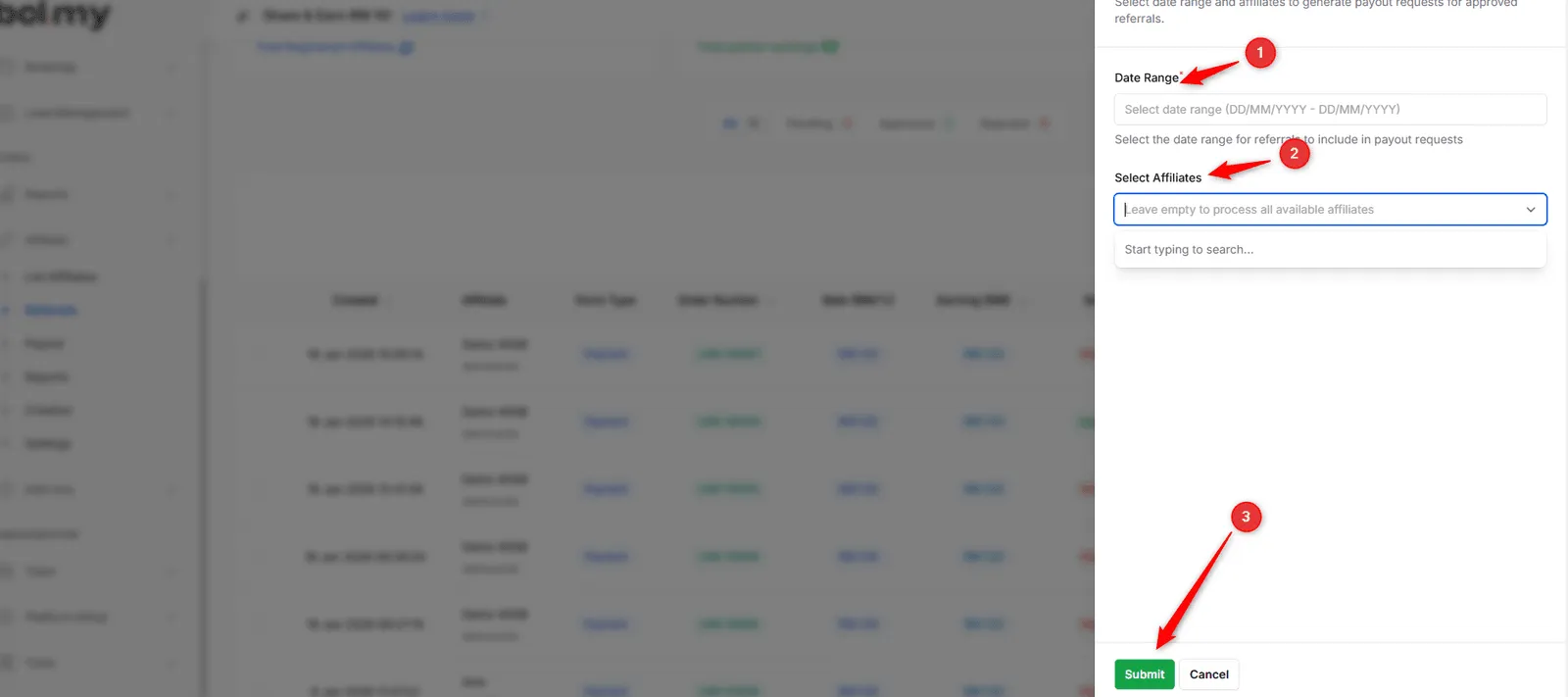
BCL creates one payout request per affiliate and notifies them.
Pay and mark as paid
Section titled “Pay and mark as paid”Payouts waiting for your transfer are under the Awaiting Payment tab.
- Go to Affiliate > Payout and open Awaiting Payment.
- Use the Account Name & Bank, Account Details and DuitNow QR columns to pay each affiliate from your bank. Export All gives you a list for bulk transfers.
- Click Mark as Paid on the row.
- Enter the Payment Method and Payment Reference, add notes if you like, and confirm.
The payout moves to Paid and the affiliate is notified. To mark several at once, tick them and choose Mark Selected as Paid.
Common issues
Does BCL pay my affiliates automatically?
No. BCL works out the commission, but you transfer the money yourself and then click Mark as Paid under Affiliate > Payout.
Why does a referral still show as pending?
Every referral starts as pending. It becomes approved when the customer's payment succeeds, and rejected if the payment fails or is cancelled. Only approved referrals can be paid out.
Can affiliates ask to be paid?
Yes. Affiliates can click Request Payout once their unpaid commission reaches your Minimum Payout Threshold. To stop that and create every payout yourself, turn on Disable Payout Requests in Affiliate > Settings.
Was this article helpful?
Thanks for your feedback.
Sorry this didn't help. WhatsApp us and we'll sort it out with you.