
Add a Meta (Facebook) pixel to a form
A Meta (Facebook) pixel tells Meta which people from your ads visited your form and paid. You add it to each form in BCL, and you can add a Conversions API token so purchases still reach Meta when the browser blocks the pixel.
BCL fires PageView, ViewContent and InitiateCheckout on the form, and Purchase after a successful payment.
Copy your Pixel ID
Section titled “Copy your Pixel ID”Get the ID from Meta first.
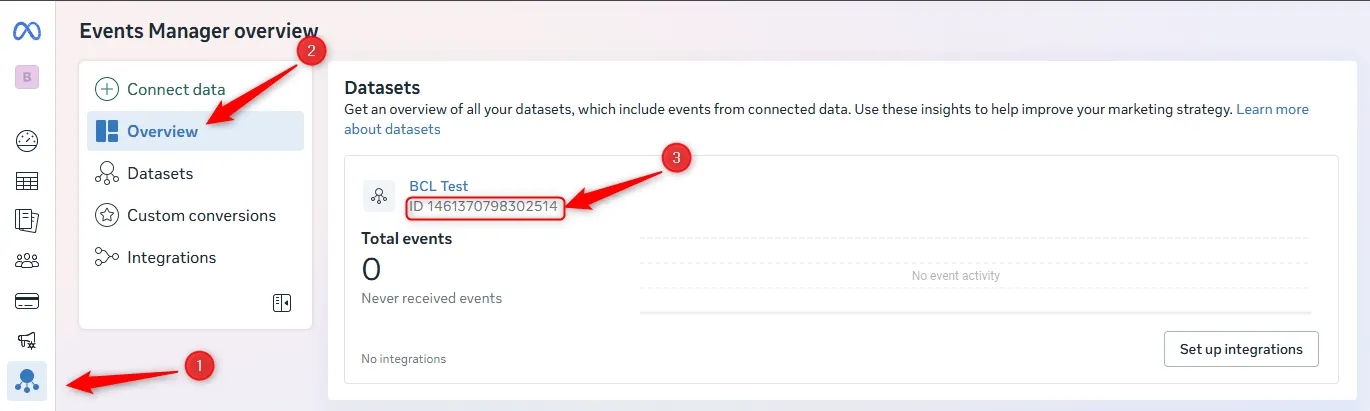
- Open Meta Events Manager and go to Overview.
- Copy the ID shown under your dataset (pixel) name.
Add the pixel to your form
Section titled “Add the pixel to your form”The same Facebook Pixel tab is on payment, event and booking forms.
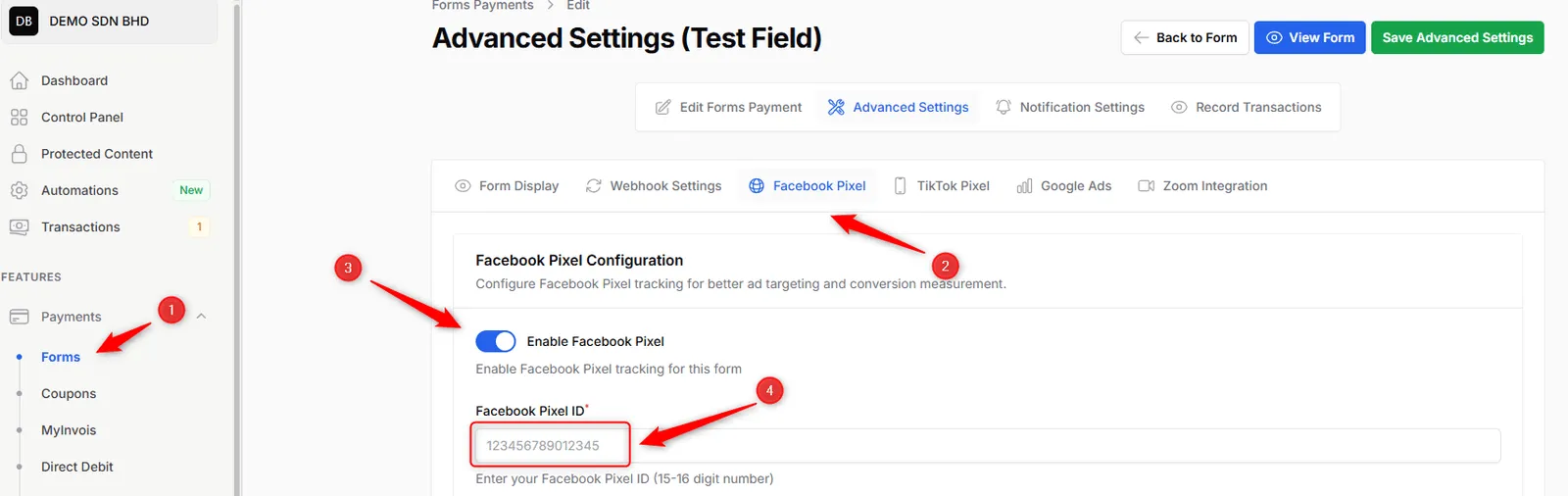
- Go to Payments > Forms and open the form.
- Click Advanced, then the Facebook Pixel tab.
- Turn on Enable Facebook Pixel.
- Paste your ID into Facebook Pixel ID.
- Click Save Advanced Settings.
Add the Conversions API token
Section titled “Add the Conversions API token”The Conversions API sends the Purchase event from BCL’s server, so it is counted even when the customer uses an ad blocker.
-
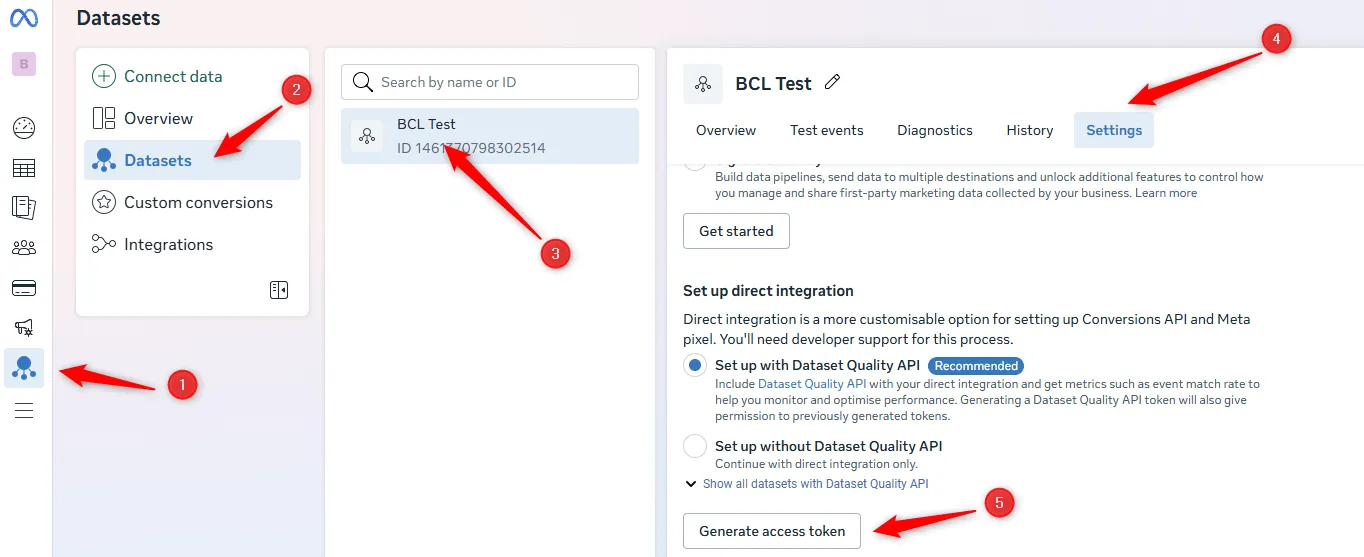
In Meta Events Manager, go to Datasets, pick your dataset and open Settings.
-
Under Set up direct integration, click Generate access token and copy it.
-
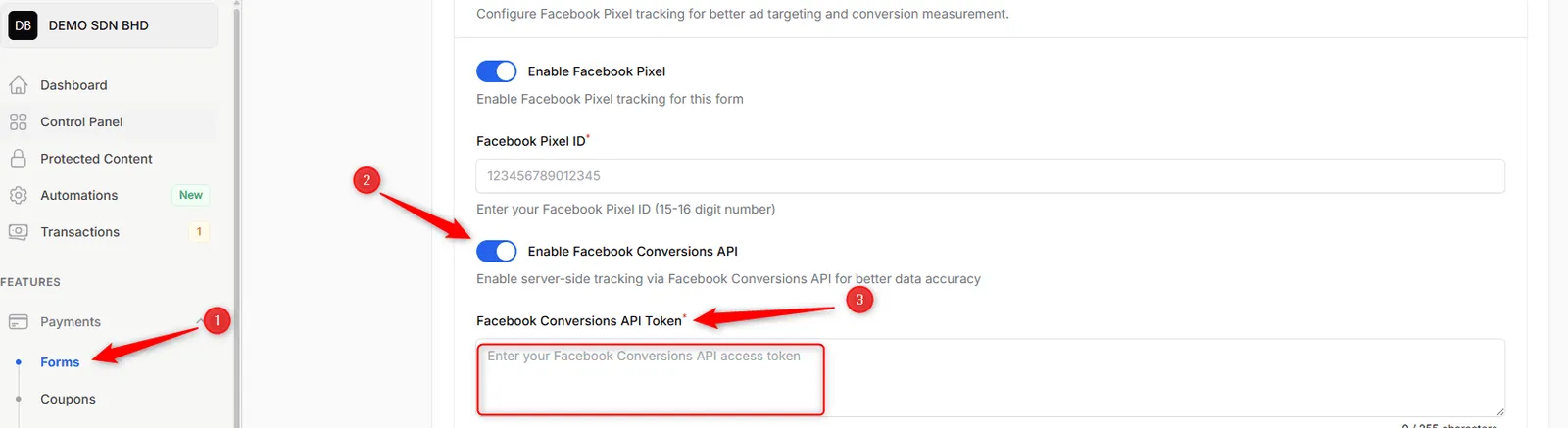
Back in BCL, on the Facebook Pixel tab, turn on Enable Facebook Conversions API.
-
Paste the token into Facebook Conversions API Token.
-
Click Save Advanced Settings.
For COD and manual bank transfer orders, turn on Trigger Purchase Event on Pending to send the Purchase event when the order is placed instead of when it is paid. The TikTok Pixel and Google Ads tabs next to Facebook Pixel work the same way for those platforms.
Common issues
My landing page is on Canva. Can I still track purchases with Meta Pixel?
Yes. The pixel is set on the form, not the landing page, so it works wherever your customers come from. Add it under the form's Advanced > Facebook Pixel tab.
Why are some Purchase events missing in Meta Events Manager?
Ad blockers and some browsers stop the pixel from firing. Turn on Enable Facebook Conversions API and add your token so BCL also sends the Purchase event from its server.
Do I need to add the pixel to every form?
Yes. The pixel is set per form, so add it to each form you advertise.
Was this article helpful?
Thanks for your feedback.
Sorry this didn't help. WhatsApp us and we'll sort it out with you.